Initial Configuration
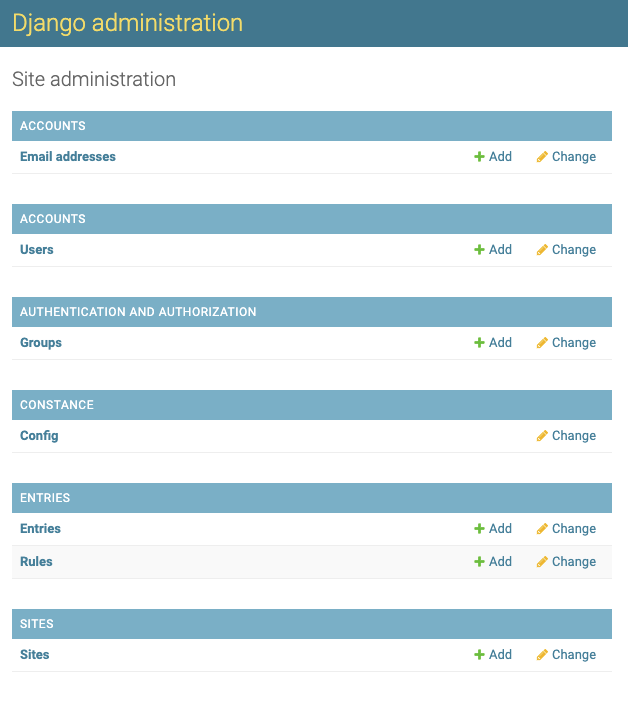
After logging in with your super user account, head over to the admin panel, which is available by navigating to
/admin, for example https://subredditlog.example.com/admin, or clicking the 'Admin' link in the navbar. You should see
a screen like this:
Site Configuration
Your SubredditLog installation can be configured by clicking on "Config" in the "Constance" section. Here, you can configure the name of your subreddit and whether you want the modlog to be publicly accessible.
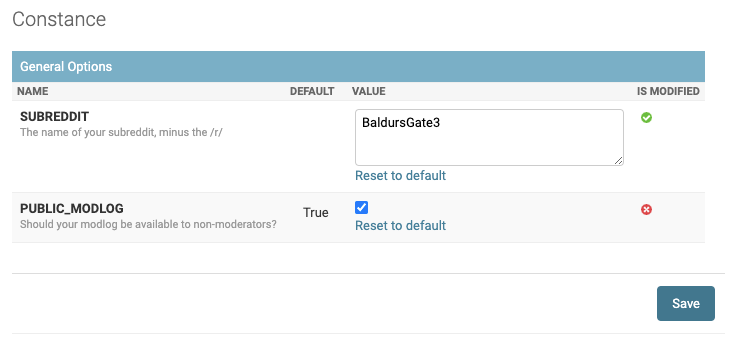
Add your subreddit's name, uncheck the box next to PUBLIC_MODLOG if you want it to be private, and click Save.
Setting the Rules
Your subreddit has rules, so they need to be defined here, too.
In the admin panel, under Entries, click on Rules. Here, you can add, edit, and order rules to match your subreddit.
To add a rule, click the Add Rule button in the top right corner.
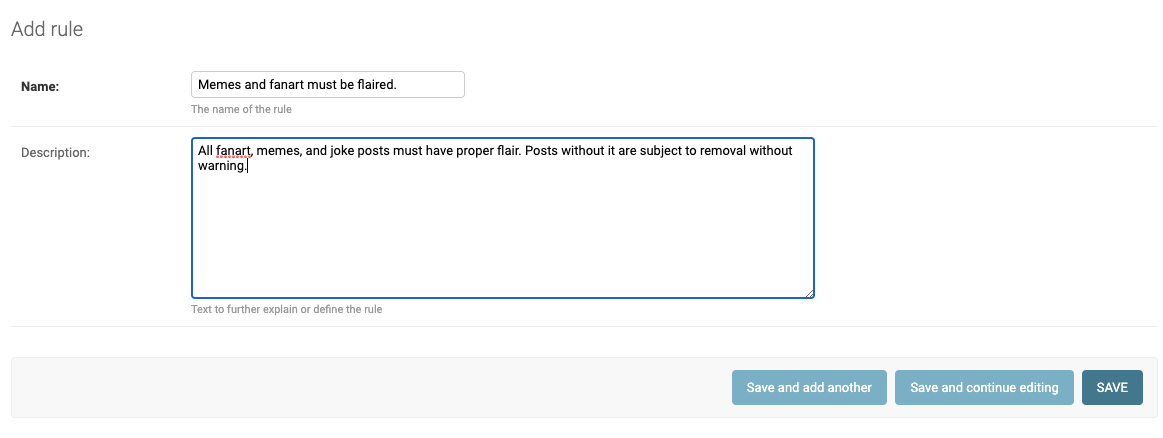
Enter the title and description of your rule, then click Save.
Importing Rules
If you'd prefer, you can import the rules from your subreddit. Rules will be imported using the subreddit rule's short name as the rule name and the subreddit rule's full description as the rule description. The correlation is shown in the screenshots below.
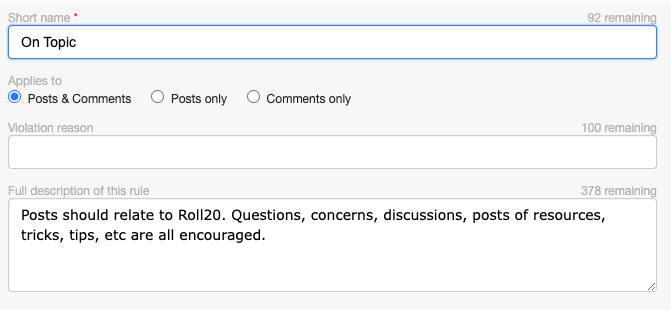
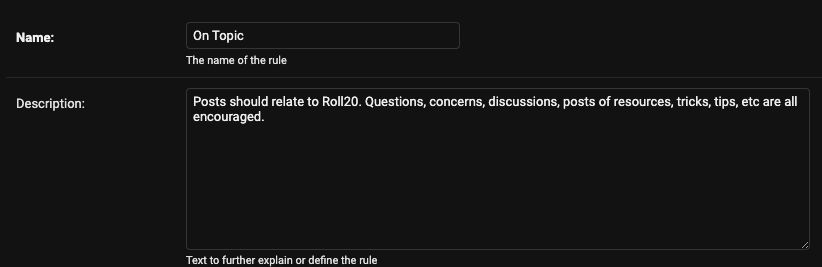
In the admin panel, under Entries, click on Rules. In the top right, next to Add Rule, is the Import Rules button. This function requires that you've already completed the steps in "Site Configuration" above.
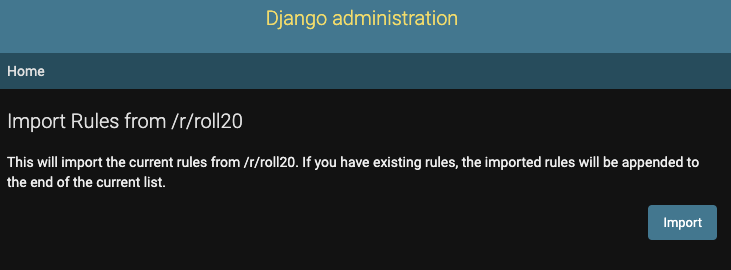
Click "Import" to confirm that you want to import the subreddit's rules. If successful, the imported rules will be listed.
Reordering Rules
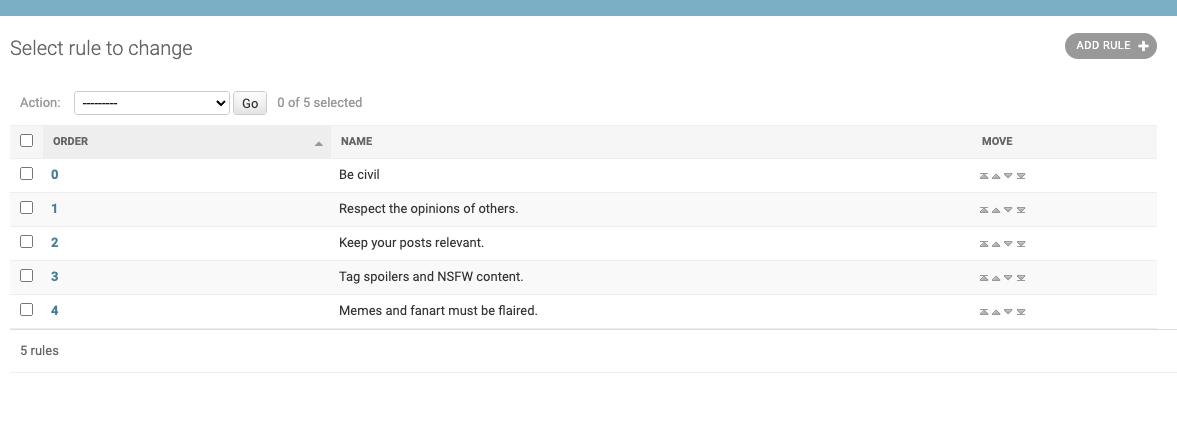
You can reorder rules to match your subreddit's rule order by clicking on the arrows to the right of the rules.
Editing and Deleting Rules
Rules can be edited by clicking on the Order Number of the rule.
Rules can be deleted by checking the box next to the rule, then selecting "Delete selected rules" from the action box and clicking "Go".
Fellow Moderators
Your fellow moderators need accounts, so let's create them. Click on "Users" then click "Add User" in the top right.
!!! info Please note that only moderators should have accounts, as anyone with an account can submit new moderator actions.
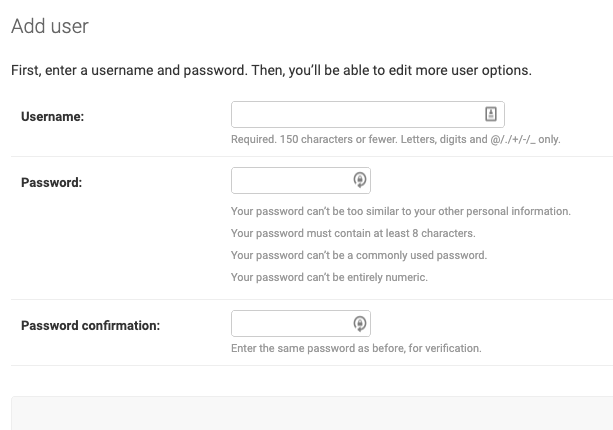
Enter the moderator's Reddit username and give them a temporary password (you can use NuPass to generate easy to read temporary passwords). You can then privately message these credentials to the mod.
Making Other Super Users
By default, the new accounts created for your mods will not be able to access the admin panel, so cannot edit actions or update the Site Configuration. If you'd like them to be able to do so, you'll need to be enable Staff and Superuser status for the account.
The edit user screen is displayed after creating a user, but can also be reached by clicking on the user's name in the Users screen.
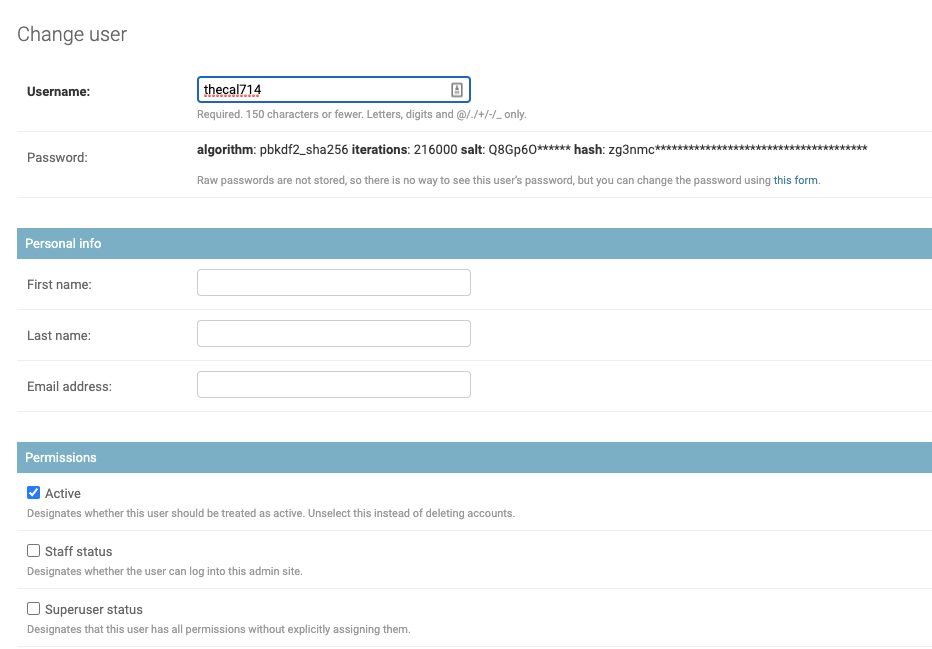
Check both boxes, scroll down, and click Save.
Importing an Existing Modlog
If you have an existing mod log stored somewhere, SubredditLog can import it in Excel format (.xlsx).
!!! warning This can only be done prior to manually adding entries. If there are existing entries in SubredditLog, this process won't work.
Prior to importation, please ensure that the Excel file is in the following format:

Also, please sanitize the file. Moderators and rules will be automatically created based on the contents of this file, so ensure that:
- Moderator names are capitalized correctly.
- Moderator123 and moderator123 will be seen as different moderators.
- Rule names are uniform.
- Capitalization is important.
- "Racism" and "No Racism" would be seen as different rules, as would "Communities" and "communities."
Perform the Import
After completing "Site Configuration" above, navigate to /import.
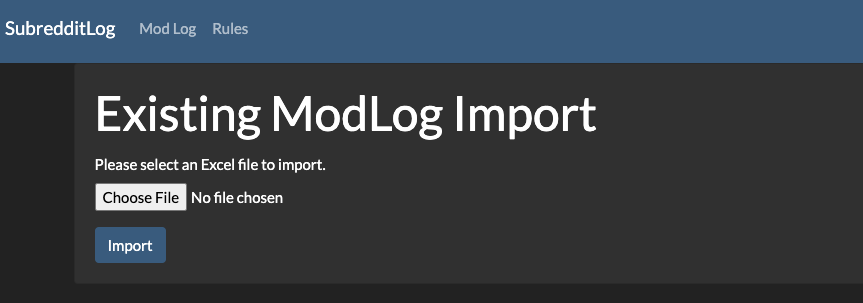
Click on "Choose File" and select your properly-formatted, sanitized Excel file. Then, click on "Import".
The process may take a moment, but will notify you of any errors as well as created rules, moderators, and the number of imported log entries.
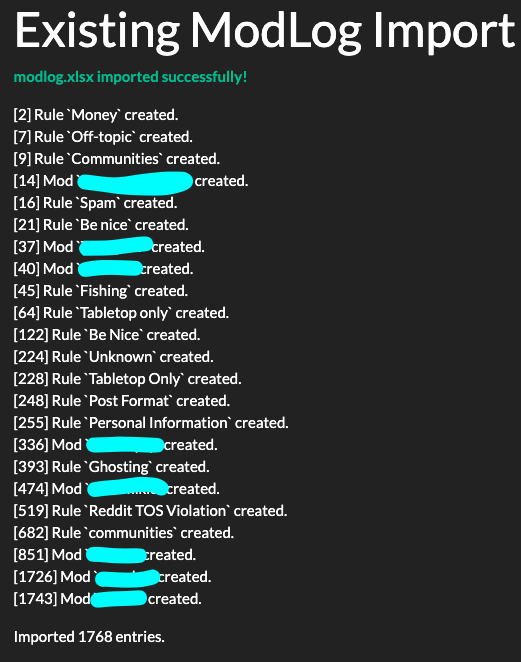
As you can see in the screenshot, the import ran without issue. However, those particularly observant will notice that, on line 682, an additional "communities" rule was created due to a capitalization issue.
Set Passwords for Fellow Moderators
The Import will have created accounts for your fellow moderators, but those accounts do not have passwords set, so they
cannot be used to log in. You will need to navigate to the admin area again (/admin or click the 'Admin' link in the
navbar) and then clicking on Users in the Accounts section.
Click on the username of the moderator for which you'd like to set a password and you'll be presented with the 'Change user' screen, as seen below.
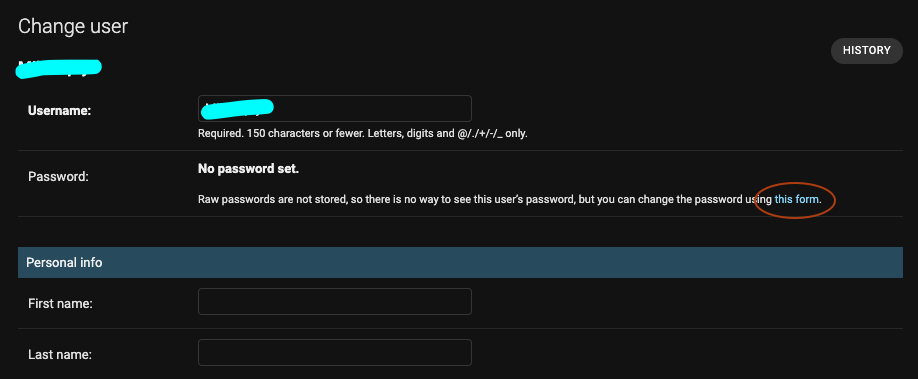
As you can see, they don't have a password set, but you can set the password by clicking on the link which is circled in orange in the screenshot above. This will take you to the 'Change password' screen.
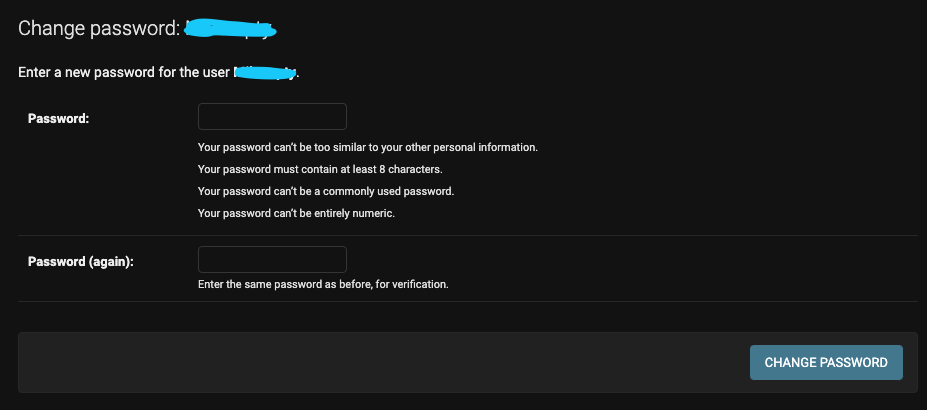
Give them a temporary password (you can use NuPass to generate easy to read temporary passwords) by entering it twice. Then privately message these credentials to the mod.
Repeat for each moderator who will need access to the modlog.